Action 函数
Action 函数允许您编写自定义按钮,这些按钮会出现在消息工具栏中,供最终用户进行交互。此功能实现了更具互动性的消息传递,允许用户在执行任务前授予权限、生成结构化数据的可视化、下载聊天的音频片段以及许多其他用例。
Action 是由管理员管理的函数,通过自定义交互能力扩展聊天界面。当消息由配置了 Action 的模型生成时,这些 Action 将作为可点击按钮出现在消息下方。
Action 代码的脚手架可以在社区部分找到。有关社区构建的更多 Action 函数示例,请访问 https://openwebui.com/search。
在下面的视频中可以看到一个图表可视化 Action 的示例。
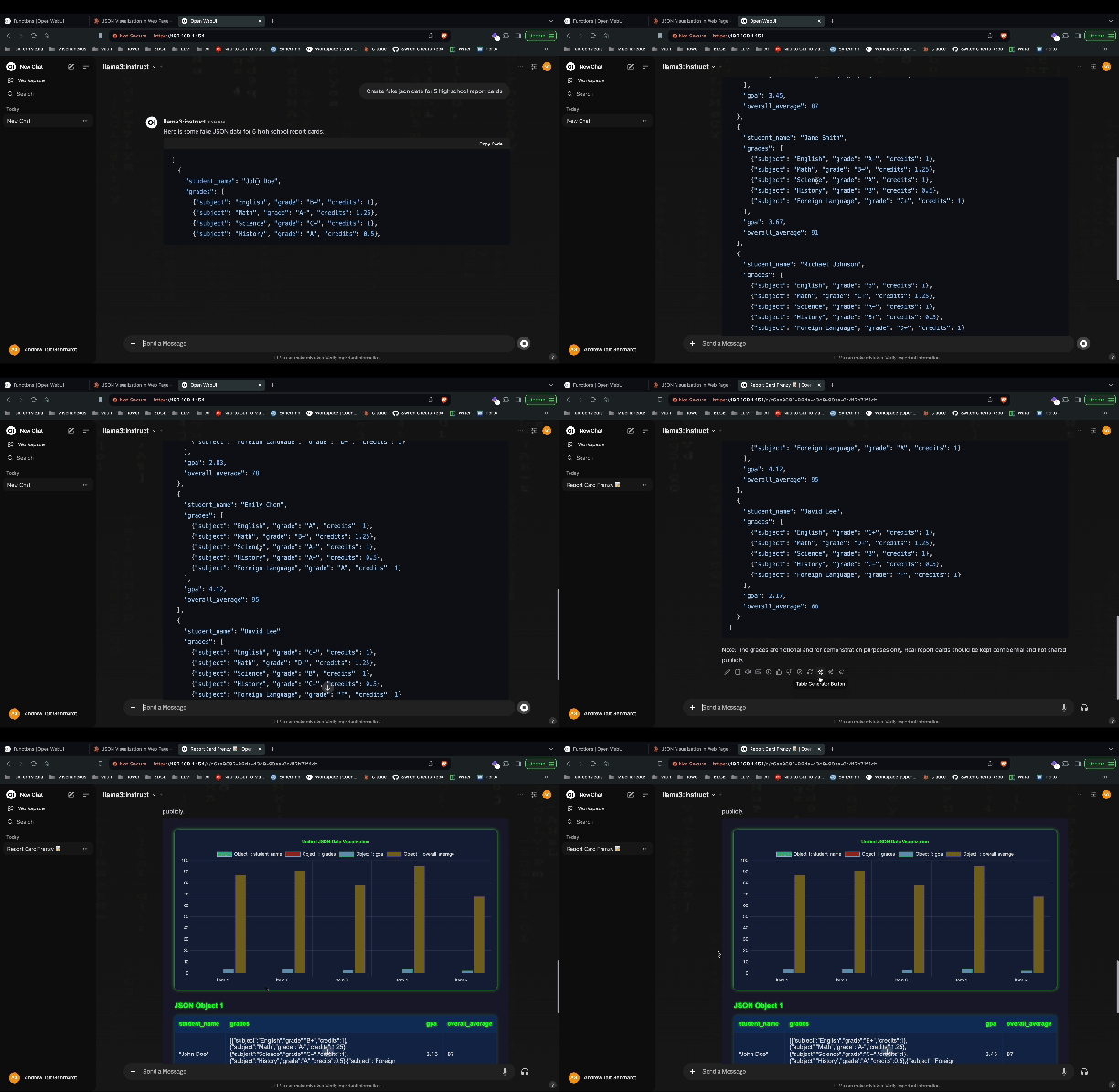
Action 函数架构
Action 是基于 Python 的函数,直接集成到聊天消息工具栏中。它们在服务器端执行,并可以通过实时事件与用户交互、修改消息内容以及访问完整的 Open WebUI 上下文。
函数结构
Action 遵循特定的类结构,以 action 方法作为主要入口点:
class Action:
    def __init__(self):
        self.valves = self.Valves()

    class Valves(BaseModel):
        # 配置参数
        parameter_name: str = "default_value"

    async def action(self, body: dict, __user__=None, __event_emitter__=None, __event_call__=None):
        # Action 实现
        return {"content": "修改后的消息内容"}
Action 方法参数
action 方法接收多个参数,这些参数提供了对执行上下文的访问:
body- 包含消息数据和上下文的字典__user__- 包含权限和设置的当前用户对象__event_emitter__- 用于向前端发送实时更新的函数__event_call__- 用于双向通信(确认、输入)的函数__model__- 触发该 Action 的模型信息__request__- 用于访问标头等的 FastAPI 请求对象__id__- Action ID(对多 Action 函数很有用)
事件系统集成
Action 可以利用 Open WebUI 的实时事件系统来实现交互体验:
事件发射器 (__event_emitter__)
有关事件和事件发射器的更多信息,请参阅事件和事件发射器。
在 Action 执行期间向前端发送实时更新:
async def action(self, body: dict, __event_emitter__=None):
    # 发送状态更新
    await __event_emitter__({
        "type": "status",
        "data": {"description": "正在处理请求..."}
    })

    # 发送通知
    await __event_emitter__({
        "type": "notification",
        "data": {"type": "info", "content": "Action 成功完成"}
    })
事件调用 (__event_call__)
在执行期间请求用户输入或确认:
async def action(self, body: dict, __event_call__=None):
    # 请求用户确认
    response = await __event_call__({
        "type": "confirmation",
        "data": {
            "title": "确认操作",
            "message": "您确定要继续吗?"
        }
    })

    # 请求用户输入
    user_input = await __event_call__({
        "type": "input",
        "data": {
            "title": "输入值",
            "message": "请输入一个值",
            "placeholder": "在此输入..."
        }
    })